10 Beste Drucker und Scanner
Von führenden Marken und Bestsellern, die im Internet erhältlich sind.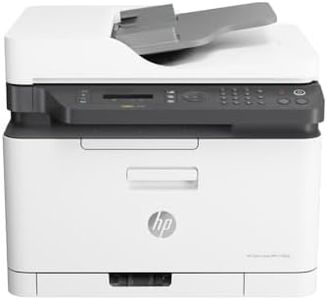
Ähnliche Produkte
Bis zu 35 % Rabatt
Unsere Top-Auswahl
Gewinner
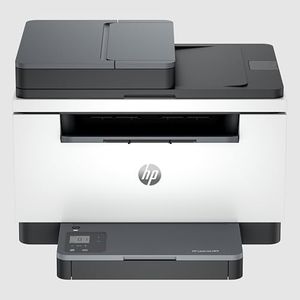
HP Color Laser MFP 179fwg Multifunktions-Farblaserdrucker, Drucken, Kopieren, Scannen, Faxen, Automatische Dokumentenzuführung, Wi-Fi, Ethernet, USB, Smart App

The HP Color Laser MFP 179fwg is a compact 4-in-1 printer designed for users needing color printing, scanning, copying, and faxing in one device. It offers decent print quality at up to 600 x 600 dpi, which is suitable for everyday documents but not ideal for photo-quality prints. The print speed is fair for a laser printer in this class, delivering up to 18 black-and-white pages per minute and around 4 pages per minute in color, making it adequate for light to moderate workloads but slower when printing color-heavy documents. Scanning resolution matches printing at 600 x 600 dpi, providing clear scans for standard documents.
Connectivity is a strong point, with Wi-Fi, Ethernet, USB, and mobile printing support via HP's Smart App, allowing flexible use from various devices including smartphones and laptops. Paper handling includes a single 150-sheet tray and a 40-sheet automatic document feeder for scanning or copying multiple pages, though duplex (double-sided) printing and scanning must be done manually, which might slow down workflow for double-sided documents. The device also features an easy-to-use LCD control panel and energy-saving modes.
Weighing over 14 kg, it is somewhat bulky but still manageable for desktop use. This printer is well suited for small offices or home users who want reliable multifunction features with network support and moderate volume. Those needing faster color prints, automatic double-sided printing/scanning, or high-resolution image output might want to consider higher-end models.
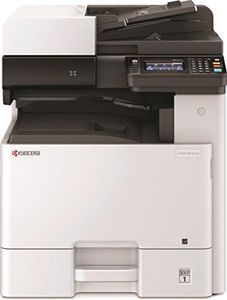
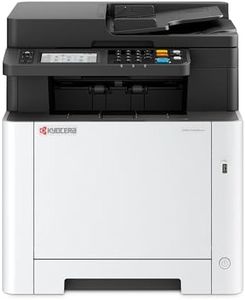
Kyocera Ecosys MA2600cwfx Farblaserdrucker Multifunktionsgerät WLAN: Drucker Scanner Kopierer, Faxgerät. Multifunktionsdrucker inkl. Mobile-Print-Funktion.
 Kyocera
Der Kyocera Ecosys MA2600cwfx ist ein farbiger Multifunktions-Laserdrucker, der sich gut für den Büroalltag eignet. Er bietet eine solide Druckgeschwindigkeit von bis zu 26 Seiten pro Minute sowohl in Schwarz-Weiß als auch in Farbe, was für mittelgroße Arbeitsgruppen ausreichend schnell ist. Die Druckauflösung von bis zu 1200 x 1200 dpi sorgt für klare und scharfe Ausdrucke, sowohl beim Drucken als auch beim Kopieren. Auch der Scanner ist mit 1200 x 1200 dpi Auflösung für die meisten Dokumente gut geeignet und unterstützt beidseitiges Scannen dank automatischem Duplex. Praktisch ist außerdem der automatische Dokumenteneinzug, der das Scannen mehrerer Seiten erleichtert.
Die Papierkapazität mit einem 300-Blatt-Zufuhrfach und einem 250-Blatt-Ausgabefach ist großzügig bemessen, was häufiges Nachfüllen reduziert. Was die Vernetzung angeht, ist das Gerät mit Ethernet und USB ausgestattet, jedoch fehlt eine direkte WLAN-Verbindung, obwohl eine Mobile-Print-Funktion für Smartphones via App unterstützt wird. Die Duplex-Funktion zum automatischen beidseitigen Drucken und Scannen spart Papier und Zeit, was besonders in Büros geschätzt wird.
Das Gerät verfügt über einen LCD-Touchscreen für einfache Bedienung sowie einen Fokus auf Sicherheit mit Funktionen wie TLS 1.3 und Firmware-Authentifizierung. Ein weiterer Pluspunkt ist die Umweltfreundlichkeit durch das Kyocera Klimaschutzsystem. Das Gewicht von 26 Kilogramm und die Größe machen den Drucker weniger mobil. Für Nutzer, die einen zuverlässigen, langlebigen Farblaserdrucker mit guten Sicherheits- und Umwelteigenschaften suchen, stellt der Kyocera Ecosys MA2600cwfx eine praktische Wahl dar. Für sehr große Druckvolumen oder besonders schnelle kabellose Verbindungen sind eventuell andere Modelle besser geeignet.
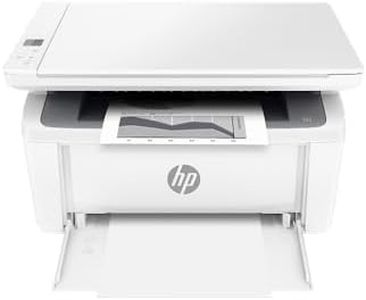
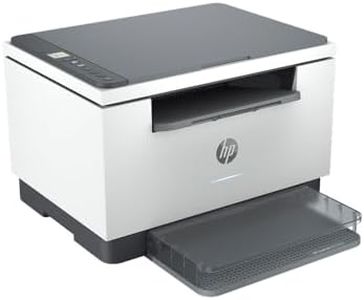
HP LaserJet MFP M140w Multifunktions-Laserdrucker, Monolaser, Drucker, Scanner, Kopierer, Duplex-Druck, DIN A4, WLAN, Airprint, Schwarz-weiß-Drucker
Der HP LaserJet MFP M140w ist ein kompakter Schwarzweiß-Laserdrucker, der speziell für kleine Büros oder das Homeoffice geeignet ist. Mit seiner kompakten Bauweise zählt er zu den kleinsten Geräten seiner Klasse und spart somit viel Platz. Die Druckgeschwindigkeit liegt bei bis zu 20 Seiten pro Minute, was für den Alltag ausreichend schnell ist. Die Druckauflösung von 600 x 600 dpi sorgt für klare Textdrucke, was bei Monochromdruckern üblich und für Standarddokumente gut geeignet ist. Der Flachbettscanner unterstützt das Scannen im Letter-Format und ist besonders praktisch zum Kopieren von Ausweisen. Duplexdruck (beidseitiges Drucken) wird unterstützt, was Papier spart und umweltfreundlicher ist. Allerdings fehlt ein automatischer Duplex-Scanner, sodass doppelseitiges Scannen manuell erfolgen muss.
Die Papierzuführung fasst bis zu 150 Blatt, was für kleinere Druckaufkommen gut reicht, aber bei größeren Mengen häufiger nachgefüllt werden muss. Die Verbindung erfolgt kabellos über WLAN oder per USB, und mobiles Drucken über die HP Smart App wird unterstützt, was den flexiblen Einsatz erleichtert. Ein Nachteil ist, dass der Drucker nur mit original HP Tonerkartuschen mit speziellen Chips funktioniert, was die Nutzung von günstigeren Alternativen einschränkt. Die Bedienung ist einfach und intuitiv mit wenigen Tasten und LED-Anzeigen.
Der HP LaserJet MFP M140w eignet sich gut für Nutzer, die einen platzsparenden, schnellen und zuverlässigen Schwarzweiß-Multifunktionsdrucker für den normalen Büroalltag suchen, keine hochwertigen Farbdrucke benötigen und mit den Einschränkungen bei den Tonerkartuschen leben können.
Top-Auswahl vergleichen
HP Color Laser MFP 179fwg Multifunktions-Farblaserdrucker, Drucken, Kopieren, Scannen, Faxen, Automatische Dokumentenzuführung, Wi-Fi, Ethernet, USB, Smart App Auf Amazon ansehen | Kyocera Ecosys MA2600cwfx Farblaserdrucker Multifunktionsgerät WLAN: Drucker Scanner Kopierer, Faxgerät. Multifunktionsdrucker inkl. Mobile-Print-Funktion. Auf Amazon ansehen | HP LaserJet MFP M140w Multifunktions-Laserdrucker, Monolaser, Drucker, Scanner, Kopierer, Duplex-Druck, DIN A4, WLAN, Airprint, Schwarz-weiß-Drucker Auf Amazon ansehen |
|---|---|---|
| Angebot | ||
| - | - | 23%billiger |
| Ausgewählt von | ||
| 1.317 | 1.215 | 1.113 |
| Mehrere Stile verfügbar | ||
| Print Technology | ||
| Laser | Laser | Schwarzweiß-Laserdrucker |
| Print Resolution | ||
| 600 x 600 dpi | 1200 x 1200 dpi | 600 x 600 dpi |
| Print Speed | ||
| 18 ppm B/W, 4 ppm color | 26 Seiten pro Minute | bis zu 20 Seiten/Minute |
| Scan Resolution | ||
| 600 x 600 dpi | 1200 x 1200 | -- |
| Connectivity | ||
| Ethernet, USB, WLAN | Ethernet, USB 2.0 | WLAN, USB, Bluetooth |
| Duplex Printing and Scanning | ||
| Manual | Automatisch, doppelseitig scannen | Duplexdruck ja, kein automatischer Duplexscanner |
| Paper Handling | ||
| 150 sheets, 40 auto feeder | 300 Blatt Zufuhr, 250 Blatt Ausgabe | Papierzuführung bis 150 Blatt |