10 Beste Farbdrucker
Von führenden Marken und Bestsellern, die im Internet erhältlich sind.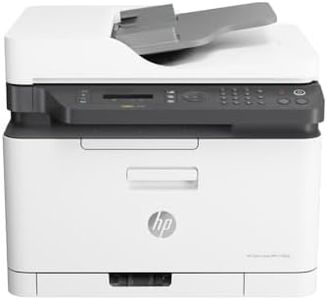
Ähnliche Produkte
Bis zu 36 % Rabatt
Unsere Top-Auswahl
Gewinner
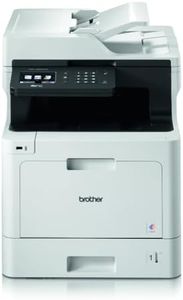
HP Color Laser MFP 179fwg Multifunktions-Farblaserdrucker, Drucken, Kopieren, Scannen, Faxen, Automatische Dokumentenzuführung, Wi-Fi, Ethernet, USB, Smart App

Der HP Color Laser MFP 179fwg ist ein kompakter und vielseitiger 4-in-1 Farblaserdrucker, der Drucken, Scannen, Kopieren und Faxen in einem Gerät vereint. Mit der Laserdrucktechnologie erreicht er eine Druckqualität von bis zu 600 x 600 dpi, was für scharfe und farblich solide Ausdrucke sorgt, allerdings ist die Farbdruckgeschwindigkeit mit etwa 4 Seiten pro Minute eher langsam. Schwarzweißdrucke sind mit bis zu 18 Seiten pro Minute deutlich schneller. Die Papierkapazität von 150 Blatt und die Unterstützung von A4-Formaten sind für den Heim- oder kleinen Bürogebrauch gut geeignet.
Die Verbindungsmöglichkeiten sind vielfältig: Er bietet USB, Ethernet und WLAN inklusive mobiler Druckoptionen wie HP Smart App und Apple AirPrint, was das Drucken von verschiedenen Geräten unkompliziert macht. Praktisch sind auch die automatische Dokumentenzuführung mit 40 Blatt und das 50-Blatt-Ausgabefach. Ein kleiner Nachteil ist, dass der Duplexdruck nur manuell möglich ist, was bei häufigem beidseitigem Drucken etwas umständlich sein kann. Der Stromverbrauch liegt mit 300 Watt im normalen Bereich für Laserdrucker.
Die vorinstallierten Tonerkartuschen sind für rund 500 Seiten in Farbe bzw. 700 Seiten in Schwarz ausgelegt, was die Folgekosten moderat hält, aber beim Nachkauf sollte man auf die Originalpatronen achten, da kompatible Produkte oft die Druckqualität beeinträchtigen. Der HP 179fwg eignet sich besonders für Nutzer, die einen zuverlässigen, netzwerkfähigen Farblaserdrucker mit Multifunktion suchen, der vor allem bei Schwarzweißdruck und Netzwerkanbindung überzeugt, während Farbdrucke eher selten sind oder keine hohe Geschwindigkeit erfordern.
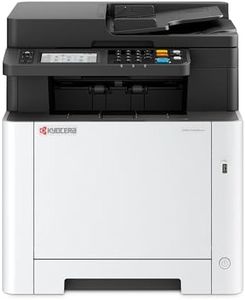
Kyocera Ecosys MA2600cwfx Farblaserdrucker Multifunktionsgerät WLAN: Drucker Scanner Kopierer, Faxgerät. Multifunktionsdrucker inkl. Mobile-Print-Funktion.
 Kyocera
Der Kyocera Ecosys MA2600cwfx ist ein zuverlässiger Farblaserdrucker, der sich gut für ein Büro mit mittlerem Druckvolumen eignet. Mit einer Druckgeschwindigkeit von bis zu 26 Seiten pro Minute in Farbe und Schwarzweiß erledigt er Aufträge zügig. Die Druckauflösung von bis zu 1200 x 1200 dpi sorgt für scharfe Ausdrucke, die für die meisten Büroanwendungen mehr als ausreichend sind. Praktisch ist die automatische Duplex-Funktion, mit der beidseitig gedruckt werden kann – das spart Papier und Kosten. Die Papierkapazität umfasst ein 300-Blatt-Fach und ein 250-Blatt-Ausgabefach, was problemlos für den täglichen Gebrauch reicht, aber bei sehr hohem Druckaufkommen etwas begrenzt sein kann.
Die Verbindungsmöglichkeiten über Ethernet und USB sind solide. Besonders vorteilhaft sind die integrierten Scannen-, Kopieren- und Faxfunktionen sowie die Unterstützung von Mobile Print Apps, AirPrint und Google Cloud Print, die das Drucken vom Smartphone erleichtern. Die langlebige Bauweise und umfangreiche Sicherheitsfeatures machen das Gerät auch für den professionellen Einsatz interessant. Allerdings wiegt der Drucker mit 26 kg recht viel und benötigt entsprechend Platz.
Nutzer sollten die Folgekosten für Toner beachten, da diese bei Laserdruckern höher sein können als bei Tintenstrahldruckern, auch wenn Kyocera mit seinem Ecosys-System auf Umweltfreundlichkeit setzt. Der MA2600cwfx bietet ein gutes Preis-Leistungs-Verhältnis für Büroanwender, die Wert auf schnelle, farbige Ausdrucke und vielseitige Funktionen legen, ohne auf höchste Druckauflösung oder sehr große Papierfächer angewiesen zu sein.
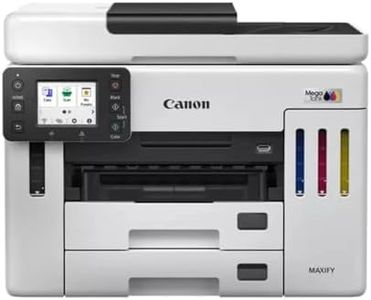
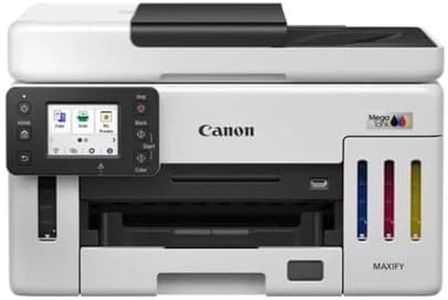
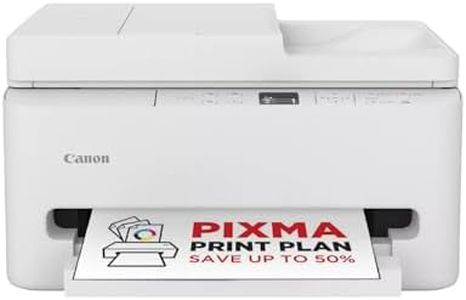
Canon MAXIFY GX7150 kompakter Büro-Drucker – Farbdrucker & Scanner All-in-One WLAN | MegaTank Tintenstrahldrucker mit Kopierer & Scanner | Wi-Fi, Ethernet & USB-Anschluss
The Canon MAXIFY GX7150 is a compact all-in-one color printer designed mainly for small offices and businesses. It uses inkjet technology with a refillable MegaTank system, allowing you to print a very high volume—up to 14,000 color pages or 6,000 black-and-white pages per ink fill. This helps keep running costs low compared to traditional cartridges. It prints sharp text and vivid colors with a resolution of 600 x 1200 dpi, which is good for most office documents and photos.
In terms of speed, the printer manages up to 24 black-and-white pages and 15.5 color pages per minute, which is quite efficient for everyday office tasks. The machine can handle various paper formats including A4, envelopes, and photo sizes, with a large paper capacity of up to 600 sheets, reducing the need for frequent refills in busy settings. It also supports automatic double-sided printing and scanning, saving time and paper.
Connectivity options are versatile, with Wi-Fi, Ethernet, and USB ports, plus compatibility with AirPrint and Google Assistant for flexible printing from different devices. The 50-sheet automatic document feeder allows smooth scanning and copying of multi-page documents. The print quality is suitable for business use though it may not meet professional photo printing standards. The printer is somewhat bulky (weighing 13 kg) for very small spaces, and the initial setup of the refillable ink tanks might require care to avoid spills. It comes with a one-year warranty, which is standard but might feel short for intensive office use. This makes the Canon MAXIFY GX7150 a reliable, cost-effective color printer with strong performance and large paper capacity, ideal for small businesses needing frequent high-volume printing and versatile scanning options. It balances speed, quality, and low running costs well, though it could be a bit large and less suited for top-tier photo prints.
Top-Auswahl vergleichen
HP Color Laser MFP 179fwg Multifunktions-Farblaserdrucker, Drucken, Kopieren, Scannen, Faxen, Automatische Dokumentenzuführung, Wi-Fi, Ethernet, USB, Smart App Auf Amazon ansehen | Kyocera Ecosys MA2600cwfx Farblaserdrucker Multifunktionsgerät WLAN: Drucker Scanner Kopierer, Faxgerät. Multifunktionsdrucker inkl. Mobile-Print-Funktion. Auf Amazon ansehen | Canon MAXIFY GX7150 kompakter Büro-Drucker – Farbdrucker & Scanner All-in-One WLAN | MegaTank Tintenstrahldrucker mit Kopierer & Scanner | Wi-Fi, Ethernet & USB-Anschluss Auf Amazon ansehen |
|---|---|---|
| Angebot | ||
| - | - | 25%billiger |
| Ausgewählt von | ||
| 1.462 | 1.360 | 1.258 |
| Mehrere Stile verfügbar | ||
| Drucktechnologie | ||
| Laser | Laser | Tintenstrahl |
| Druckauflösung | ||
| 600 x 600 dpi | 1200 x 1200 dpi | 600 x 1200 dpi |
| Druckgeschwindigkeit | ||
| 18 S./Min SW, 4 S./Min Farbe | 26 Seiten pro Minute | 24 ppm B/W, 15.5 ppm Farbe |
| Papierformate und -kapazität | ||
| A4, 150 Blatt | Papierformat 210mm, A4 max, 300 Blatt | A4-A6, B5, LTR, LGL, 600 Blätter |
| Konnektivität | ||
| Ethernet, USB, WLAN | Ethernet, USB 2.0 | Ethernet, USB, WLAN |
| Zusatzfunktionen | ||
| Manueller Duplex, Mobiles Drucken | Kopieren, Scannen, Fax, Mobile Print | Kopieren, Scannen, Duplexdruck |
| Folgekosten und Patronensystem | ||
| 700 Seiten SW, 500 Seiten Farbe | Ecosys-System, Toner | Nachfüllbare Liquid Ink Patronen |