10 Beste Gaming Monitore
Von führenden Marken und Bestsellern, die im Internet erhältlich sind.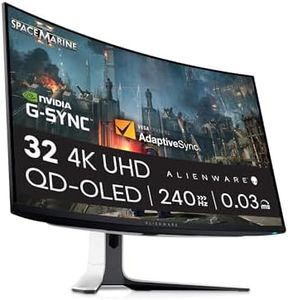

Ähnliche Produkte
Bis zu 32 % Rabatt

Unsere Top-Auswahl
Gewinner
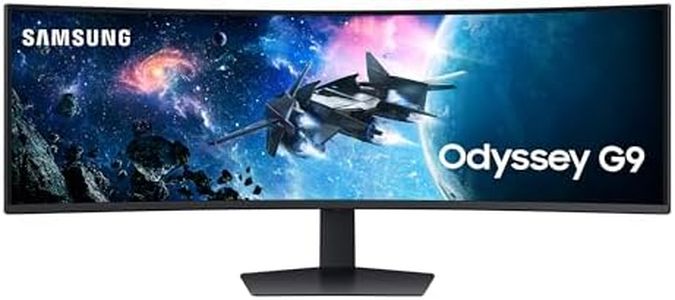
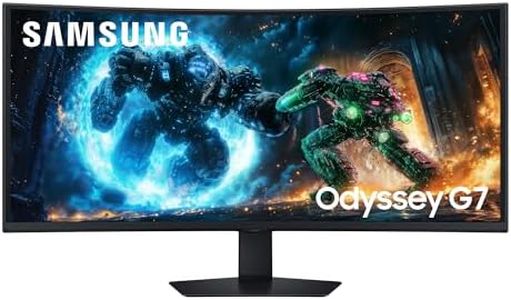
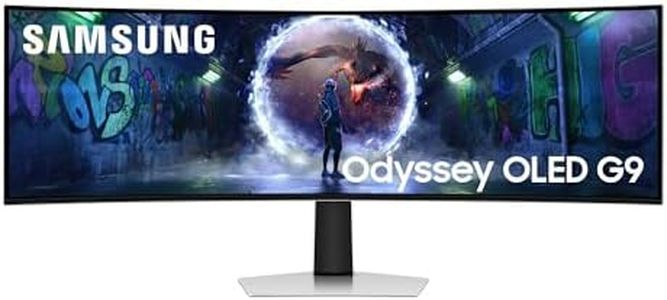
Samsung 49 Zoll Odyssey OLED G9 G93SD, DQHD (5.120 x 1.440), Gaming Monitor, PC Bildschirm, 240 Hz, OLED Glare Free, 0,03 ms Reaktionszeit, Gaming Hub, LS49DG934SUXEN
 Samsung
The Samsung 49-inch Odyssey OLED G9 is a standout choice for gamers seeking an immersive, ultra-wide experience. Its huge 49-inch curved OLED screen offers a sharp Dual QHD resolution (5120 x 1440), giving you a wide, clear view that’s especially great for games with expansive landscapes or multiple windows. The OLED panel ensures vibrant colors and deep blacks, making visuals richer and more lifelike than many other monitors. A very high 240 Hz refresh rate combined with an ultra-fast 0.03 ms response time means you get extremely smooth motion and minimal blur, which is perfect for fast-paced gaming where every millisecond counts. FreeSync Premium Pro support helps reduce screen tearing, enhancing fluidity without stuttering.
The monitor’s anti-glare coating reduces reflections, so it stays easy on the eyes even in bright rooms. With multiple ports including DisplayPort, HDMI, and USB-C, you can connect a variety of devices easily, and the built-in Gaming Hub lets you access streaming and console games conveniently. On the downside, the brightness of 250 cd/m² might be a bit low for very bright environments, and at nearly 13 kg and quite large dimensions, it needs a spacious setup. Also, some gamers might find the 32:9 ultrawide ratio takes some getting used to if they’re upgrading from standard screens.
While it offers basic ergonomic options and supports wall mounting, it doesn't highlight advanced adjustments like height or swivel flexibility. If you want a premium, visually stunning monitor that excels in speed and immersion for PC gaming, especially in genres like racing, shooters, or RPGs, this monitor fits the bill well. However, if you need very high brightness or compact size, you might want to consider other options.
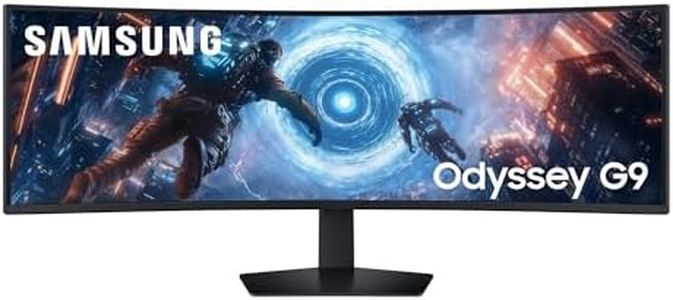
Samsung Odyssey G91F, Ultrawide Curved 32:9, Gaming Monitor, 49 Zoll, LED-VA-Panel, DQHD, 5120 x 1440, DisplayHDR 600, AMD FreeSync Premium Pro, 1ms, 144 Hz, Schwarz, LS49FG916EUXEN
 Samsung
The Samsung Odyssey G91F is a 49-inch ultrawide curved gaming monitor designed to deliver an immersive experience with its 32:9 aspect ratio and sharp 5120 x 1440 DQHD resolution. Thanks to its VA panel, it offers vibrant colors and deep contrast (2000:1), making visuals pop especially in darker scenes. A 144Hz refresh rate and very fast 1ms response time help keep fast-moving game action smooth and responsive, while AMD FreeSync Premium Pro reduces screen tearing for more fluid gameplay.
The 1000R curve wraps around your field of vision, enhancing immersion, although the glossy screen surface may cause reflections in bright rooms. Connectivity is well covered with multiple HDMI and DisplayPort inputs plus USB ports, and the monitor supports multi-view for multitasking or dual device use. Ergonomically, it offers a comfortable design but lacks VESA wall mount compatibility, which might limit mounting options.
Its brightness of 350 cd/m² and DisplayHDR 600 support add to the visual quality but might not match the peak brightness of some higher-end HDR monitors. This monitor is ideal for gamers looking for a large, immersive ultrawide screen with strong performance in fast-paced games and vibrant image quality, while its size and curve also make it suitable for productivity tasks that benefit from wide screen space. For those seeking a high-end gaming experience combined with extra desktop room, the Odyssey G91F is a solid choice that requires a spacious setup and good ambient lighting control to avoid glare.
Alienware AW3225QF 32 Zoll 4K UHD (3840x2160) 1700R Curved Gaming Monitor, 240Hz, QD OLED, 0.03ms, NVIDIA G-SYNC Kompatibel, HDR, Dolby Vision, USB-C, DisplayPort, 2X HDMI, 4X USB, 3 Jahre Garantie
Der Alienware AW3225QF ist ein 32-Zoll-Gaming-Monitor mit einer beeindruckenden 4K-UHD-Auflösung (3840 x 2160), der mit seinem QD-OLED-Panel für sehr brillante Farben und tiefes Schwarz sorgt – ideal, wenn du Wert auf erstklassige Bildqualität legst. Das 1700R-curved Display sorgt für ein angenehmes, natürliches Sichtfeld und trägt dazu bei, komplett ins Spielgeschehen einzutauchen. Besonders hervorzuheben ist die sehr hohe Bildwiederholrate von 240 Hz in Kombination mit einer extrem schnellen Reaktionszeit von 0,03 ms, was gerade bei schnellen Spielen einen flüssigen und reaktionsschnellen Eindruck macht. Dank NVIDIA G-SYNC Kompatibilität und VESA AdaptiveSync wird zudem das störende Bildzerreißen (Screen Tearing) vermieden, was das Spielerlebnis zusätzlich verbessert.
Für HDR-Inhalte bietet der Monitor Dolby Vision und DisplayHDR True Black 400, was die Darstellung von dunklen und hellen Bildbereichen lebensecht macht. Die Anschlüsse sind vielseitig: USB-C, DisplayPort und zwei HDMI-Ports ermöglichen flexible Verbindungen zu PC und Konsole. Ergonomisch lässt sich der Bildschirm neigen und schwenken, was für eine angenehme Sitzposition sorgt.
Als Nachteil kann man den relativ hohen Stromverbrauch von 190 Watt nennen, was bei Dauerbetrieb ins Gewicht fallen kann. Zudem ist der Preis für viele wohl eher im oberen Bereich angesiedelt, was für Gelegenheits-Gamer weniger attraktiv sein könnte. Wer aber Wert auf beste Bildqualität, hohe Bildwiederholrate und schnelle Reaktionszeiten legt, findet hier einen sehr starken Monitor, der sowohl für PC- als auch für Konsolenspieler gut geeignet ist.
Top-Auswahl vergleichen
Samsung 49 Zoll Odyssey OLED G9 G93SD, DQHD (5.120 x 1.440), Gaming Monitor, PC Bildschirm, 240 Hz, OLED Glare Free, 0,03 ms Reaktionszeit, Gaming Hub, LS49DG934SUXEN Auf Amazon ansehen | Samsung Odyssey G91F, Ultrawide Curved 32:9, Gaming Monitor, 49 Zoll, LED-VA-Panel, DQHD, 5120 x 1440, DisplayHDR 600, AMD FreeSync Premium Pro, 1ms, 144 Hz, Schwarz, LS49FG916EUXEN Auf Amazon ansehen | Alienware AW3225QF 32 Zoll 4K UHD (3840x2160) 1700R Curved Gaming Monitor, 240Hz, QD OLED, 0.03ms, NVIDIA G-SYNC Kompatibel, HDR, Dolby Vision, USB-C, DisplayPort, 2X HDMI, 4X USB, 3 Jahre Garantie Auf Amazon ansehen |
|---|---|---|
| Angebot | ||
| - | - | 6%billiger |
| Ausgewählt von | ||
| 1.468 | 1.366 | 1.264 |
| Mehrere Stile verfügbar | ||
| Bildwiederholrate (Refresh Rate) | ||
| 240 Hz | 144 Hz | 240 Hz |
| Reaktionszeit (Response Time) | ||
| 0.03 ms | 1 Millisekunden | 0,03 ms |
| Auflösung (Resolution) | ||
| 5120 x 1440 | 5120 x 1440 | 3840 x 2160 |
| Paneltyp (Panel Type: TN, IPS, VA) | ||
| OLED | VA | QD-OLED |
| Bildschirmgröße und Seitenverhältnis (Screen Size and Aspect Ratio) | ||
| 49 inch, 32:9 | 49 Zoll, 32:9 | 32 Zoll |
| Synchronisationstechnologien (G-Sync, FreeSync) | ||
| FreeSync Premium Pro | FreeSync Premium Pro | NVIDIA G-SYNC, VESA AdaptiveSync |
| Ergonomiefunktionen und Anschlüsse (Ergonomics and Ports) | ||
| Basic ergonomics, wall mount; ports | No VESA, HDMI, DP, USB 3.0 A/B | Neigen, Schwenken; USB-C, DP, 2x HDMI |