10 Beste Thunderbolt Docks
Von führenden Marken und Bestsellern, die im Internet erhältlich sind.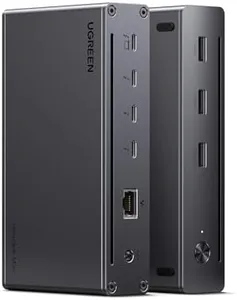
Ähnliche Produkte
Bis zu 16 % Rabatt
Unsere Top-Auswahl
Gewinner
UGREEN Revodok Max 208 Thunderbolt 4 Dock 40Gbps 8-in-1 Docking Station 3*Thunderbolt 4 (Dual 4K@60Hz, Single 8K Display), 85W Aufladen für Laptop, Gigabit Ethernet, kompatibel mit M4 Pro Mac mini

Der UGREEN Revodok Max 208 ist ein modernes Thunderbolt 4 Dock, das mit drei schnellen Thunderbolt 4 Anschlüssen punktet, die Datenübertragungen mit bis zu 40 Gbps ermöglichen. Diese Anschlüsse unterstützen die Verbindung von bis zu zwei 4K-Monitoren mit 60 Hz oder einem einzelnen 8K-Display, was für Nutzer mit hohem Anspruch an Bildqualität sehr attraktiv ist.
Die Ladeleistung von 85 Watt sorgt dafür, dass viele Laptops gleichzeitig versorgt werden können, was besonders praktisch ist, wenn man nur ein Kabel zum Anschluss braucht. Das Dock liefert insgesamt 140 Watt, wovon 55 Watt für angeschlossene Geräte reserviert sind. Zusätzlich gibt es drei USB-A 3.2 Ports und einen Gigabit Ethernet Anschluss, was eine vielseitige Nutzung mit verschiedenen Peripheriegeräten ermöglicht.
Das Dock ist mit einer breiten Palette an Geräten kompatibel, von aktuellen MacBooks (mit macOS 11.4 oder neuer) bis hin zu Windows-Laptops und Tablets mit USB-C, allerdings unterstützen manche M1-, M2- oder M3-Macs nur einen externen Monitor. Die Verarbeitung ist solide und kompakt, mit einem Gewicht von 1,4 kg und übersichtlichen Maßen, was es auch für den mobilen Einsatz geeignet macht. Ein kleiner Nachteil ist, dass die vollen Display-Fähigkeiten bei einigen Geräten eingeschränkt sind und das Dock mit 1,4 Kilogramm eher zu den schwereren Modellen zählt. Nutzer, die ein leistungsfähiges und zukunftssicheres Dock suchen, das nicht nur schnell lädt und Daten transferiert, sondern auch mehrere hochauflösende Displays unterstützt, finden im UGREEN Revodok Max 208 eine empfehlenswerte Wahl.
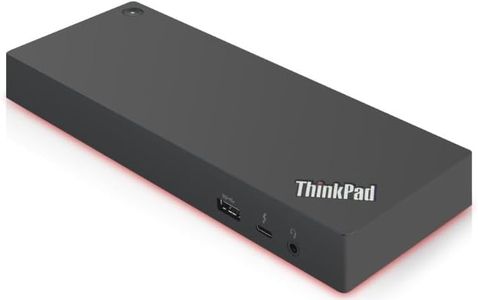
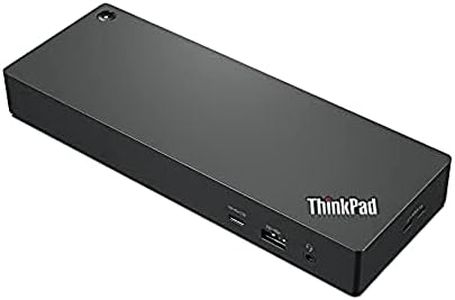
Lenovo ThinkPad Thunderbolt 4 Dock Workstation Dock - EU/INA/Vie/ROK 40B00300EU
 Lenovo
Das Lenovo ThinkPad Thunderbolt 4 Dock ist eine leistungsstarke Dockingstation, die besonders für Nutzer von Notebooks mit Thunderbolt 4 Anschluss geeignet ist. Ein großer Vorteil ist die hohe Ladeleistung von bis zu 230 Watt, was bedeutet, dass auch leistungsstarke Laptops problemlos mit Strom versorgt werden können. Zudem unterstützt das Dock beeindruckende Bildschirmoptionen: Es kann entweder ein 8K-Display bei 30 Hz oder bis zu vier 4K-Displays bei 60 Hz gleichzeitig ansteuern. So eignet es sich gut für Nutzer, die viel mit mehreren oder hochauflösenden Monitoren arbeiten.
Die Ausstattung umfasst insgesamt fünf USB-Anschlüsse, darunter auch HDMI, was die Verbindung zu diversen Peripheriegeräten erleichtert. Die Integration von geräuscharmen Firmware-Updates und die Unterstützung von vPro/AMT Pass-Through sind zusätzliche Pluspunkte, die vor allem im professionellen Umfeld für Sicherheit und einfache Wartung sorgen. Das Dock ist mit einer kompakten Größe und einem Gewicht von etwa 450 Gramm relativ leicht und passt gut auf den Schreibtisch.
Ein Nachteil ist, dass nur ein HDMI-Anschluss vorhanden ist und keine neueren USB-C-Ports zusätzlich aufgeführt werden, was die Anschlussvielfalt etwas einschränken kann, falls viele unterschiedliche Geräte genutzt werden. Das Lenovo ThinkPad Thunderbolt 4 Dock bietet eine solide Kombination aus Leistung, Kompatibilität und Displayunterstützung und richtet sich besonders an professionelle Anwender, die viel Wert auf hohe Ladeleistung und Multi-Monitor-Setups legen.
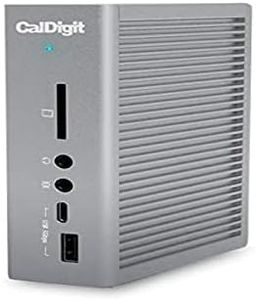
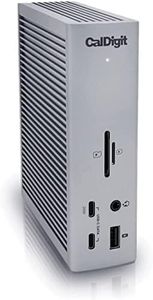
TS4 (0,8 m) – Thunderbolt Station 4 – 18 Anschlüsse, 98 W Laden, 3 x Thunderbolt 4 (40 Gbit/s), 3 x USB-C (10 Gbit/s), 5 x USB-A (10 Gbit/s), DisplayPort 1.4, 2,5 GbE, SD und microSD UHS-II.
 CalDigit
Die CalDigit TS4 ist eine äußerst vielseitige Thunderbolt-Station mit 18 Anschlüssen, die für Nutzer ideal ist, die viele Geräte gleichzeitig verbinden möchten. Mit drei Thunderbolt 4 Ports (je 40 Gbit/s) und weiteren USB-C sowie USB-A Anschlüssen (je 10 Gbit/s) bietet sie schnelle Datenübertragung und flexible Anschlussmöglichkeiten. Besonders praktisch ist die hohe Power Delivery von 98 Watt, die auch leistungsstarke Laptops zuverlässig mit Strom versorgt.
Für die Bildausgabe unterstützt sie einen einzelnen 8K-Monitor oder zwei 6K-Monitore (abhängig vom verwendeten Betriebssystem und Mac-Modell), was sie gut für kreative Profis macht, die mit hochauflösenden Displays arbeiten. Zudem ist ein moderner 2,5-Gigabit-Ethernet-Port integriert, der schnellere Netzwerkverbindungen als herkömmliche 1-Gigabit-Anschlüsse erlaubt. Die Kompatibilität ist breit gefächert und umfasst Thunderbolt 3 und 4, USB4 sowie USB-C Geräte von Windows, macOS und sogar Tablets.
Das robuste Design und die hochwertige Verarbeitung mit einem Gewicht von etwa 1,5 kg machen sie auch optisch ansprechend. Ein kleiner Nachteil könnte die Größe und das Gewicht sein, was weniger mobilfreundlich ist. Außerdem sind die Display-Beschränkungen bei manchen Mac-Modellen zu beachten. Die CalDigit TS4 stellt eine sehr gut ausgestattete Docking-Lösung dar, die besonders für Nutzer mit vielen Peripheriegeräten und hohen Anforderungen an Geschwindigkeit und Power geeignet ist.
Top-Auswahl vergleichen
UGREEN Revodok Max 208 Thunderbolt 4 Dock 40Gbps 8-in-1 Docking Station 3*Thunderbolt 4 (Dual 4K@60Hz, Single 8K Display), 85W Aufladen für Laptop, Gigabit Ethernet, kompatibel mit M4 Pro Mac mini Auf Amazon ansehen | TS4 (0,8 m) – Thunderbolt Station 4 – 18 Anschlüsse, 98 W Laden, 3 x Thunderbolt 4 (40 Gbit/s), 3 x USB-C (10 Gbit/s), 5 x USB-A (10 Gbit/s), DisplayPort 1.4, 2,5 GbE, SD und microSD UHS-II. Auf Amazon ansehen | |
|---|---|---|
| Angebot | ||
22%billiger | - | - |
| Ausgewählt von | ||
| 1.235 | 1.133 | 1.031 |
| Mehrere Stile verfügbar | ||
| Thunderbolt Version | ||
| Thunderbolt 4 | Thunderbolt 4 | Thunderbolt 4 |
| Number and Type of Ports | ||
| 3 Thunderbolt 4, 3 USB-A, 1 Ethernet | 5 USB, 1 HDMI | 18 Anschlüsse: 3 Thunderbolt 4, USB-C |
| Power Delivery (Charging Capability) | ||
| 85 Watt | 230 Watt | 98 Watt |
| Display Support | ||
| Two 4K 60Hz or one 8K display | 1x 8K@30Hz or 4x 4K@60Hz | 1x 8K oder 2x 6K Monitore |
| Compatibility | ||
| MacBooks, Windows laptops, USB-C tablets | Notebooks mit Thunderbolt 4 | Thunderbolt 3 & 4, USB4, USB-C Geräte |
| Build Quality and Design | ||
| Solid, compact; 16.5x8.1x3 cm; 1.4 kg | schwarz, 20x15x15 cm, 450 g | Robust, 1,5 kg, schwarz |