10 Beste Wlan Router
Von führenden Marken und Bestsellern, die im Internet erhältlich sind.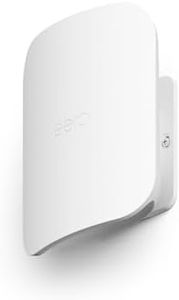
Ähnliche Produkte
Bis zu 31 % Rabatt

Empfohlene Listen

WLAN router

Router
Unsere Top-Auswahl
Gewinner
Amazon eero Outdoor 7 Dualband-Mesh-WLAN-Router (neueste Generation), wetterfest gemäß Schutzart IP66, Abdeckung bis zu 1.390 m² im Freien, 1er-Pack, 30W PoE+-Adapter enthalten

The Amazon eero Outdoor 7 is a strong choice if you need reliable Wi-Fi coverage in outdoor spaces like your garden or patio. It supports the latest Wi-Fi 7 standard, offering fast speeds up to 2.1 Gbps, which is great for streaming, browsing, and connecting multiple devices simultaneously. With coverage up to about 1,390 square meters (around a 21-meter radius), it can handle a large outdoor area and connect over 100 devices at once, making it ideal for busy homes or small outdoor events. The router is designed to withstand tough weather conditions (IP66-rated), so rain, dust, or snow won’t interrupt your connection, and it can operate in a wide temperature range from -40 to 55 °C.
It uses mesh technology to keep your signal strong and consistent as you move around outside, managed easily through the eero app. Security-wise, it supports up-to-date WPA3 encryption and offers optional advanced protection through a subscription for things like VPN and malware blocking. The router has one 2.5 Gb Ethernet port with Power-over-Ethernet (PoE+), which is useful for flexible power and wired connections but might feel limited if you need multiple wired devices outdoors. It features two antennas per frequency band (2x2), which is decent but not as powerful as higher-antenna models for extremely crowded Wi-Fi environments.
Technologies like MU-MIMO and OFDMA help efficiently manage multiple devices, and compatibility with smart home standards (Thread, Zigbee, Matter) is a bonus. Setup is straightforward via the app, and the device supports backward compatibility with previous eero models, making it easy to expand your mesh network. This router is well suited for those wanting robust, weatherproof outdoor Wi-Fi with modern speeds and good device handling, though it may not cover very large commercial areas or support many wired connections directly.
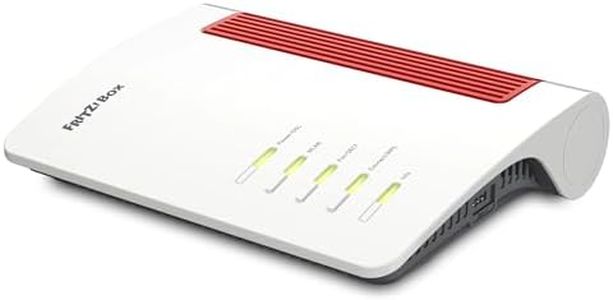
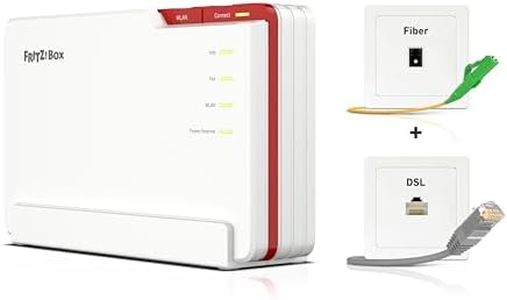
FRITZ!Box 5690 Pro (Wi-Fi 7 Premium DSL- und Glasfaser-Router mit Triband (2,4 GHz, 5 GHz, 6 GHz) bis zu 18,5 GBit/s, für Glasfaser & DSL-Anschlüsse, WLAN Mesh, DECT-Basis, deutschsprachige Version)
 FRITZ!
Die FRITZ!Box 5690 Pro ist ein sehr moderner WLAN-Router, der besonders gut für Nutzer geeignet ist, die hohe Geschwindigkeiten und eine stabile Verbindung in großen Wohnungen oder Häusern benötigen. Mit dem neuen Wi-Fi 7 Standard und drei Frequenzbändern (2,4 GHz, 5 GHz und 6 GHz) erreicht der Router beeindruckende Geschwindigkeiten von bis zu 18,5 GBit/s. Das sorgt für schnelles Surfen, Streaming in hoher Qualität und flüssiges Online-Gaming – auch wenn mehrere Geräte gleichzeitig verbunden sind. Die vier internen Antennen und Technologien wie MU-MIMO und Beamforming helfen dabei, das WLAN-Signal gezielt zu verstärken und die Reichweite zu verbessern. Dank WLAN Mesh können weitere FRITZ!-Geräte einfach eingebunden werden, sodass das ganze Zuhause mit einem nahtlosen WLAN-Netz versorgt wird.
Praktisch ist auch die Unterstützung für Glasfaser- und DSL-Anschlüsse, wodurch der Router flexibel bei verschiedenen Internetverbindungen eingesetzt werden kann. Die Sicherheit ist durch moderne Verschlüsselungsstandards (WPA2 und WPA3) gewährleistet, was Schutz vor unerwünschtem Zugriff bietet. Zudem gibt es nützliche Extras wie eine integrierte Telefonanlage, USB-Anschlüsse für Drucker oder Speicher und eine App-Steuerung. Ein kleiner Nachteil könnte der Preis sein, der für diese Premium-Ausstattung höher ausfällt als bei einfacheren Routern. Außerdem ist das Gerät mit 26,8 x 16,5 x 4,8 cm etwas größer und benötigt einen festen Platz. Für Nutzer, die eine zukunftssichere und schnelle Netzwerklösung mit umfangreichen Funktionen suchen, stellt die FRITZ!Box 5690 Pro eine ausgezeichnete Wahl dar.
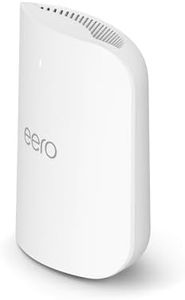
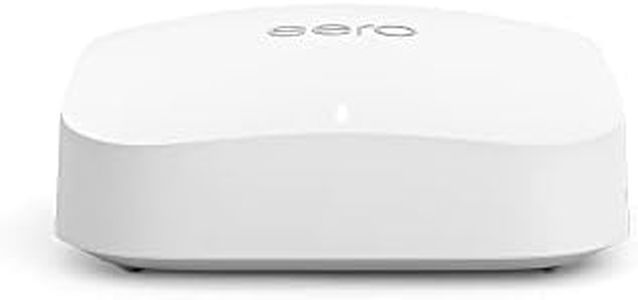
Amazon eero Pro 7 Mesh-WLAN-Router (neueste Version) | Unterstützt Internet-Geschwindigkeiten von bis zu 5 Gbit/s | WLAN-Abdeckung bis zu 190 m² | Einzelpack
The Amazon eero Pro 7 is a modern mesh WLAN router supporting the latest Wi-Fi 7 standard, offering very high speeds up to 5 Gbit/s on wired connections and 3.9 Gbit/s over Wi-Fi. It covers around 190 m², which is ideal for medium-sized homes or small offices. Thanks to its tri-band setup (2.4, 5, and 6 GHz) and a total of six antennas (2x2 on each band), it manages multiple devices well, supporting over 200 connections simultaneously. Features like MU-MIMO and beamforming help maintain stable and efficient connections across the network. The two 5-Gigabit Ethernet ports are a plus for wired devices needing fast and reliable links.
In terms of security, it supports modern WPA2 and WPA3 encryption, with optional advanced protection through a subscription that includes malware blocking and VPN options. The router also integrates smart home functions, acting as a hub compatible with Alexa, Zigbee, and Thread, which is convenient for users with smart devices. On the downside, the router comes as a single unit, so larger homes may require additional units to fully eliminate dead zones. Also, some advanced security features need a paid subscription, which might not appeal to everyone. The device relies on an app for setup and management, which is user-friendly but requires a smartphone.
The eero Pro 7 serves as a powerful, future-proof router suited for users looking for high speed, solid coverage in medium spaces, and smart home integration. However, those with larger homes or tighter budgets might want to consider whether a multi-pack or simpler model fits better.
Top-Auswahl vergleichen
Amazon eero Outdoor 7 Dualband-Mesh-WLAN-Router (neueste Generation), wetterfest gemäß Schutzart IP66, Abdeckung bis zu 1.390 m² im Freien, 1er-Pack, 30W PoE+-Adapter enthalten Auf Amazon ansehen | FRITZ!Box 5690 Pro (Wi-Fi 7 Premium DSL- und Glasfaser-Router mit Triband (2,4 GHz, 5 GHz, 6 GHz) bis zu 18,5 GBit/s, für Glasfaser & DSL-Anschlüsse, WLAN Mesh, DECT-Basis, deutschsprachige Version) Auf Amazon ansehen | Amazon eero Pro 7 Mesh-WLAN-Router (neueste Version) | Unterstützt Internet-Geschwindigkeiten von bis zu 5 Gbit/s | WLAN-Abdeckung bis zu 190 m² | Einzelpack Auf Amazon ansehen |
|---|---|---|
| Angebot | ||
| - | - | - |
| Ausgewählt von | ||
| 1.389 | 1.287 | 1.185 |
| Mehrere Stile verfügbar | ||
| Wi-Fi Standards | ||
| WLAN 7 (802.11a/b/g/n/ac/ax) | Wi-Fi 7, 802.11.be, ac, ax, g, n | Wi-Fi 7 (802.11a/b/g/n/ac/ax/be) |
| Frequency Bands | ||
| 2.4 GHz, 5.15-5.85 GHz bands | 2,4 GHz, 5 GHz, 6 GHz | 2.4, 5, 6 GHz |
| Speed Ratings | ||
| 2x2 2.4 GHz 688 Mbps, 5 GHz 2161 Mbps | bis zu 18,5 GBit/s | 5 Gbit/s wired, 3.9 Gbit/s Wi-Fi |
| Coverage Range | ||
| Approx. 1,390 m² (21 m radius) | Großer drahtloser Sendebereich | 190 m² |
| Number of Antennas | ||
| Two antennas per band (2x2) | 4 | 6 (2x2 per band) |
| Security Features | ||
| WPA2, WPA3, TLS v1.2+, VPN | WPA2-PSK, WPA3 | WPA2 and WPA3 encryption |
| Ethernet Ports | ||
| One 2.5 GbE port, PoE capable | 4 | Two 5-Gigabit Ethernet ports |
| MU-MIMO and Beamforming | ||
| MU-MIMO, OFDMA, SU-MIMO | Ja | Supported |